Opening Scene
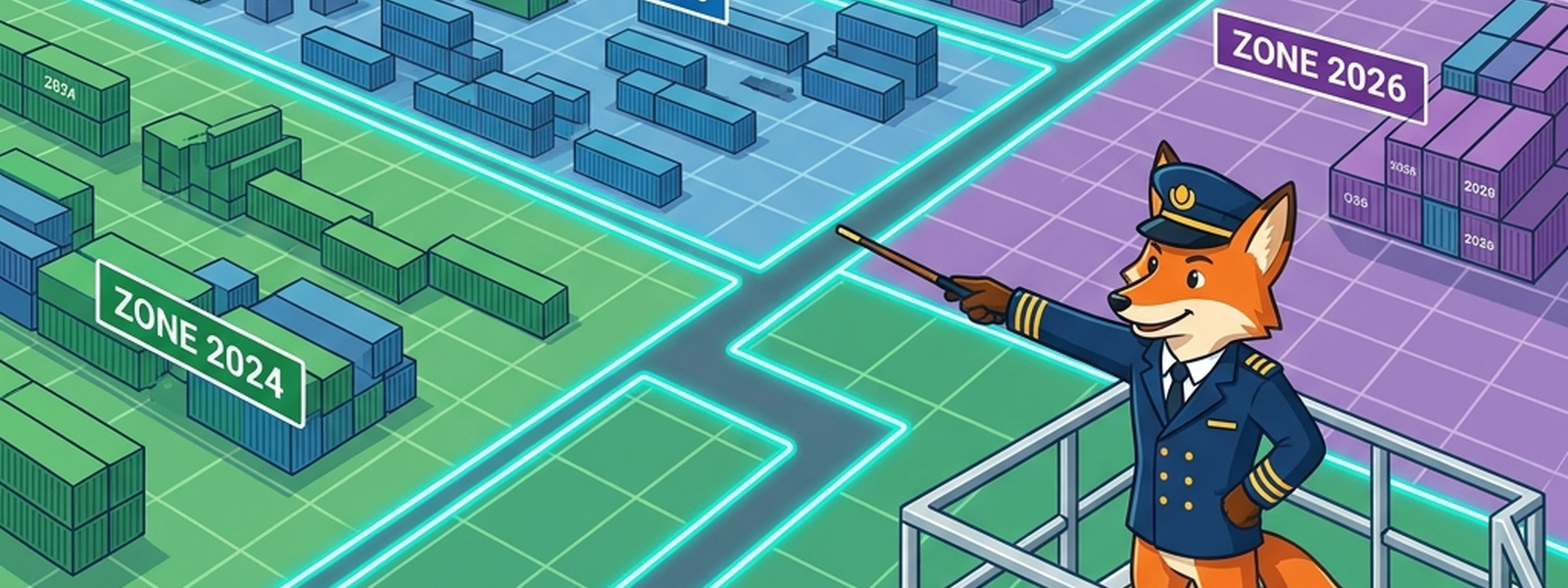
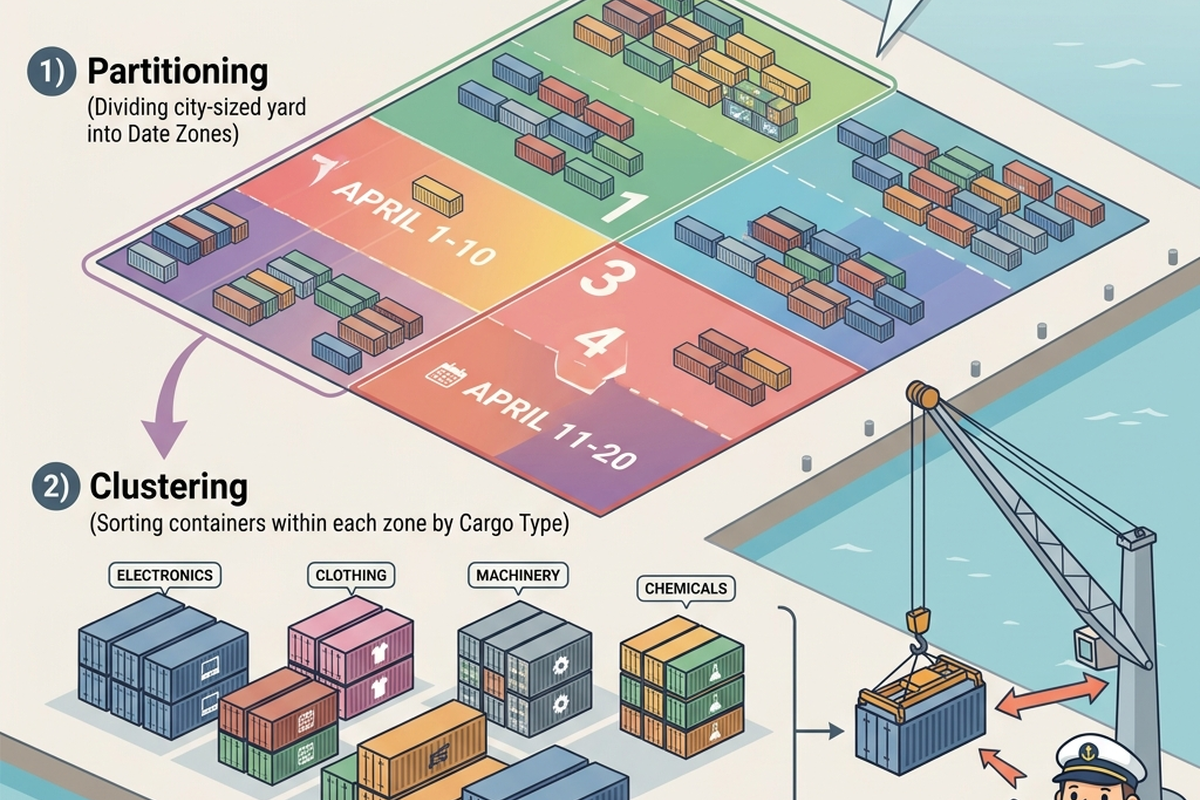
A container yard the size of a small city can’t just be one enormous undivided lot. It’s zoned — by destination region, by cargo type, by priority — so a crane operator looking for anything bound for a specific region can go straight to that zone instead of searching the entire city-sized yard. The zoning doesn’t change what’s in any individual container. It changes how fast anyone can find the right one.
That’s exactly what partitioning and clustering do for a data warehouse or lakehouse handling billions of rows.
In Plain English
Partitioning divides a large table into smaller physical segments based on a specific column — commonly date, so a query for “last month’s data” only has to scan last month’s zone, not the entire table’s history. Clustering (or sorting) organizes data within those zones by another commonly-queried column, so even within a zone, related records sit close together. Neither changes what data exists — both change how much of it a query actually has to touch to answer a question.
The Old Way
Before partitioning and clustering were well-understood practices, tables often grew large and undifferentiated — the equivalent of one continuous yard with no zoning at all. Every query, regardless of what it actually needed, effectively scanned the whole table, because there was no structural shortcut telling the system where the relevant data actually lived.
As data volumes grew, this became a serious and worsening performance problem — queries that were fast against a small table became slow, then very slow, as the same table grew from thousands to millions to billions of rows, with query cost scaling roughly with total table size rather than with how much data a specific question actually needed.
What’s Changing (and Why AI Is the Reason)
- Partition and cluster key selection is getting AI assistance. Choosing the right column to partition or cluster by used to depend heavily on an engineer’s manual analysis of query patterns; AI-assisted tooling can now analyze actual historical query logs and recommend partition and cluster strategies that match real usage, not just guesses about likely usage.
- Some modern platforms are reducing how much manual zoning is needed at all. Certain lakehouse table formats (previewed here, detailed in Article 10) include automatic file organization and compaction that reduces the burden on engineers to manually design a perfect partitioning scheme upfront.
- AI query patterns are creating new zoning needs. As AI agents generate more ad hoc, exploratory queries against a lakehouse (a theme this series returns to in Article 15), partition and cluster strategies designed purely around predictable BI dashboard patterns may need rethinking for less predictable AI-driven access patterns.
The Metaphor, Fully Extended
| Harbor Element | Partitioning/Clustering Concept |
|---|---|
| A yard with no zoning at all | An unpartitioned table |
| Zoning the yard by destination region | Partitioning a table by a column like date |
| Arranging containers within a zone by cargo type | Clustering data within a partition by another column |
| A crane operator scanning the entire yard for one item | A query scanning an entire unpartitioned table |
| A yard planner recommending zoning based on actual traffic patterns | AI-assisted partition/cluster key recommendations from query logs |
For Beginners: What to Actually Do
- Before optimizing anything, get comfortable identifying what a query actually needs to touch to answer its question — that intuition is the whole basis for good partitioning and clustering decisions.
- Practice explaining, for a table you’re familiar with, what a sensible partition key would be and why — usually the column most queries filter on first, often date.
- Don’t assume more partitioning is always better. Over-partitioning (too many, too-small zones) can hurt performance as much as no partitioning at all — it’s a balance, not a maximum to chase.
- When using AI-assisted recommendations, check that the suggested key actually matches how you and your team query the table day to day, not just how the table happens to be structured.
For Practitioners and Leaders: The Deeper Layer
- Audit your largest, slowest tables specifically for partitioning and clustering gaps — this is one of the highest-leverage, most concrete performance fixes available in a warehouse or lakehouse, and it’s often overlooked in favor of flashier optimizations.
- AI-assisted key recommendations are only as good as the query logs they’re trained on — a system that’s only ever seen predictable BI dashboard queries may recommend poorly for a new, less predictable AI-driven workload.
- Revisit partition and cluster strategies periodically, not just once at table creation. Query patterns shift over time, and a scheme that made sense a year ago may no longer match how the table is actually used.
- As AI agents generate more ad hoc queries against your platform, treat this as a new input to your zoning strategy, not an edge case to ignore — unpredictable access patterns are exactly what good partitioning is meant to handle gracefully.
Quick Recap
- Partitioning divides a large table into smaller segments by a column like date; clustering organizes data within those segments — both reduce how much data a query has to scan.
- Unpartitioned, unclustered tables force every query to effectively scan everything, a cost that scales badly as data volume grows.
- AI-assisted tooling can now recommend partition and cluster strategies based on actual historical query patterns.
- AI-driven, less predictable query patterns are creating new demands on zoning strategies originally designed around predictable BI dashboards.
Where This Fits in the Series
Article 7 covered how data is physically organized. This article covered how it’s divided into zones for faster access. Article 9 looks at the actual containers themselves — the file formats that hold the cargo within each zone.
Key References
- Databricks Lakehouse Architecture — Official reference guide on combining data warehouse performance with lake flexibility.
- Apache Iceberg Table Format Specification — Open-source table format standard for huge analytic datasets.
- Delta Lake Open Source Project — Open-source storage layer that brings ACID transactions to Apache Spark and big data workloads.
Subscribe to the Newsletter
Get the latest DataParables articles delivered straight to your inbox.