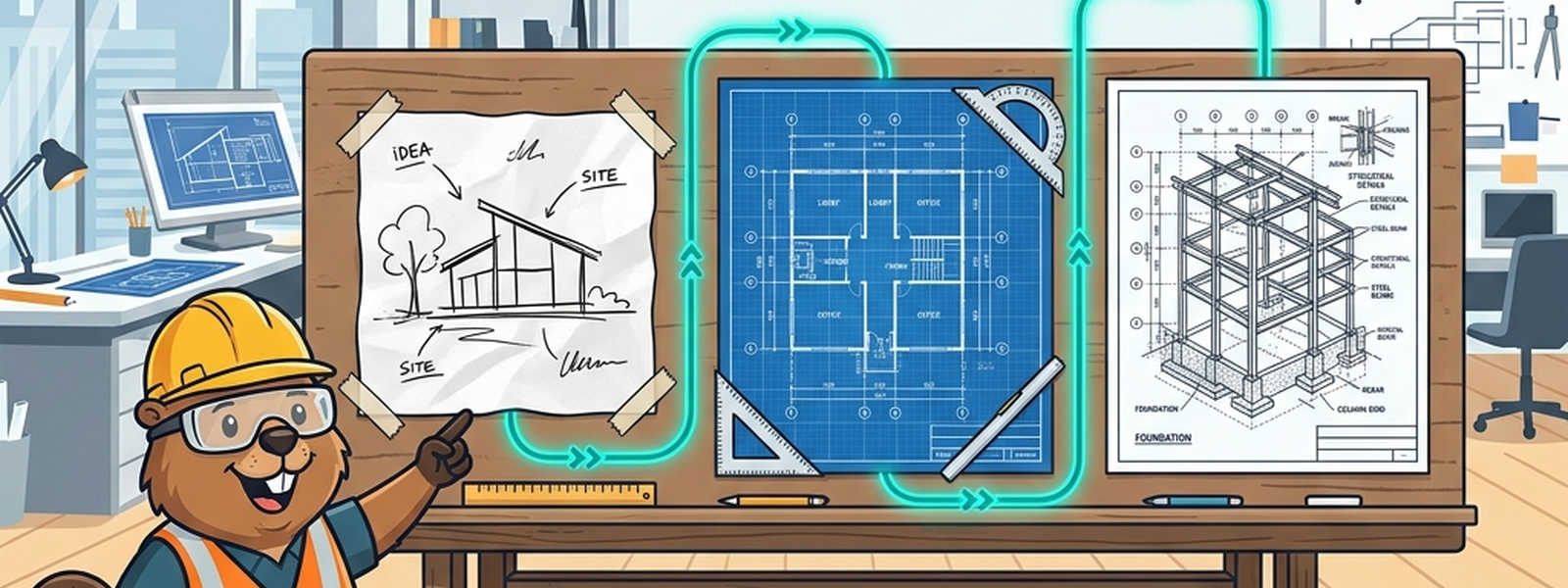
Opening Scene
Before an architect ever pours concrete, they make three very different drawings. First, a napkin sketch: a few boxes labeled “kitchen,” “bedroom,” “garage” — just enough to agree on the idea of the house. Then a detailed blueprint: rooms sized, doors placed, walls positioned, but still no mention of which brand of pipe or which type of nail. Finally, a construction drawing: exact materials, exact measurements, ready to hand to a builder. Three drafts, same house, each one more specific than the last.
In Plain English
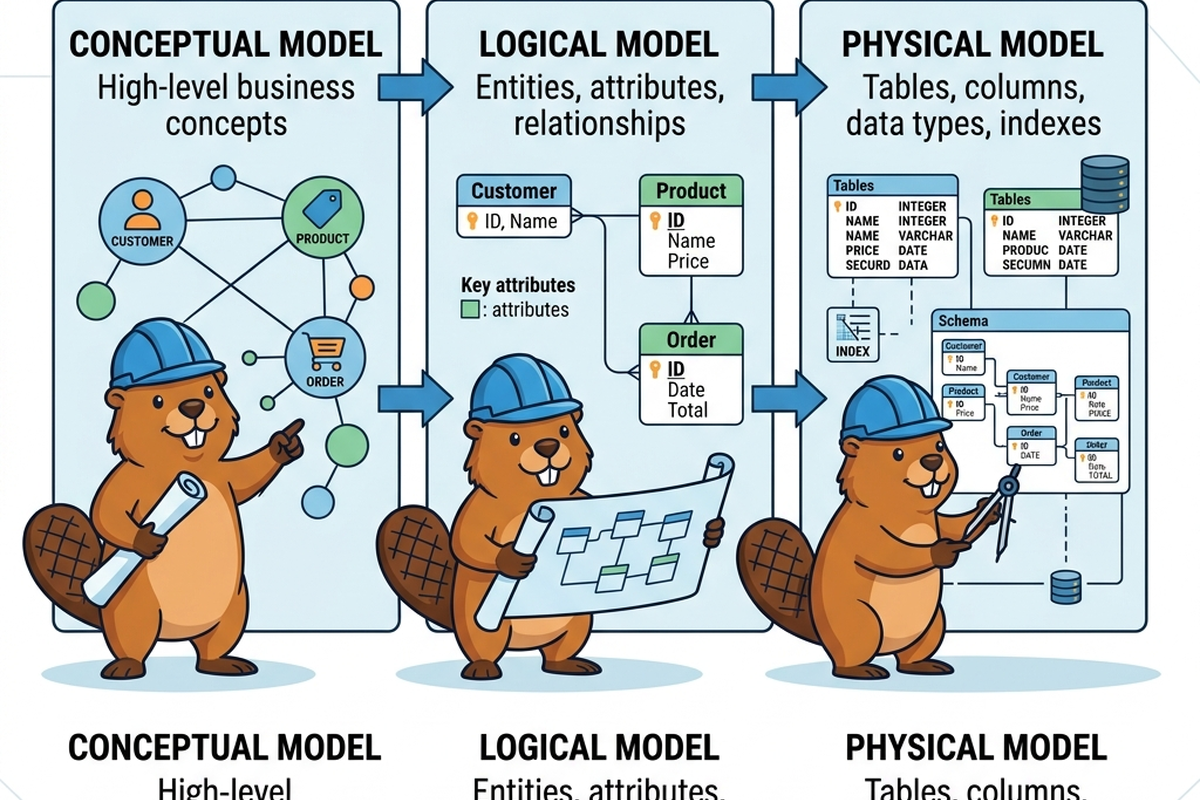
A data model goes through the same three stages. The conceptual model is the napkin sketch — what things exist and roughly how they relate, with no technical detail. The logical model is the detailed blueprint — relationships and rules spelled out precisely, but still independent of any specific database technology. The physical model is the construction drawing — the actual tables, columns, data types, and indexes that get built in a real system.
The Old Way
Traditionally, these three drafts were produced in strict sequence, often by different people, with formal sign-off between each stage. A business analyst or stakeholder would agree on the conceptual model in a workshop. A data architect would then translate it into a logical model, debating relationship rules and edge cases for weeks. Only once that was approved would a database engineer turn it into a physical model, picking specific data types and storage structures.
The risk in this old way wasn’t the stages themselves — they’re still valuable — it was the cost of skipping straight to physical thinking. Teams under deadline pressure would often jump directly to “let’s just create the tables,” skating past the conceptual and logical drafts. The result was a “house” with rooms in odd places: a database that technically worked but didn’t reflect how the business actually thought about its own data, and was painful to change later.
What’s Changing (and Why AI Is the Reason)
- AI can now draft a logical model directly from a conceptual sketch. Describe your entities and relationships in plain language, or hand over a rough whiteboard photo, and AI modelling tools can propose a structured logical draft — attributes, cardinalities, naming conventions — in a fraction of the time a manual translation used to take.
- The gap between logical and physical is shrinking. AI tools can now suggest physical implementations (table structures, indexing strategies, data types) directly from a logical model, tuned to the target database technology, reducing the manual translation work that used to require deep platform-specific expertise.
- The three drafts are becoming easier to keep in sync. Historically, once a physical model diverged slightly from its logical “parent” (as real systems always eventually do), reconciling them was tedious and often simply skipped. AI-assisted comparison tools can now flag drift between the drafts automatically, making it realistic to keep all three honest over time instead of letting the early drafts become stale paperwork.
The Metaphor, Fully Extended
| House-Building Element | Data Modelling Concept |
|---|---|
| The napkin sketch | The conceptual model |
| The detailed blueprint | The logical model |
| The construction drawing | The physical model |
| Room labels (“kitchen,” “bedroom”) | Entities (e.g., “Customer,” “Order”) |
| Room dimensions and door placement | Relationships and cardinalities (one-to-many, many-to-many) |
| Specific pipe brands, nail types, materials | Physical data types, indexes, storage details |
| The client agreeing to the napkin sketch | Stakeholder sign-off on the conceptual model |
| The architect’s detailed review | Data architect’s logical modelling work |
| The builder following the construction drawing | The database engineer implementing the physical model |
| A junior drafter producing a rough blueprint for the architect to refine | An AI tool generating a first-draft logical or physical model for human review |
For Beginners: What to Actually Do
- Practice separating “what exists” (conceptual) from “exact technical detail” (physical) — when in doubt, ask yourself which draft you’re actually looking at.
- Before opening any database tool, try sketching a conceptual model on paper for something familiar, like a movie streaming service: what are the entities, and how do they connect?
- When you see an AI-generated table structure, trace it backward — could you redraw the logical model it implies? If you can’t, the physical model may be too specific to learn from yet.
- Don’t skip straight to physical thinking just because it feels more “real.” The napkin sketch is doing real work, even though it looks the simplest.
For Practitioners and Leaders: The Deeper Layer
- AI-drafted logical-to-physical translation is genuinely strong for greenfield or well-understood domains, but weaker at capturing platform-specific performance trade-offs your team has learned the hard way (denormalization for read-heavy reporting, partitioning strategy, etc.) — treat AI output as a competent first pass requiring senior review, not a finished design.
- Drift-detection tooling between logical and physical models is one of the more underrated AI-assisted wins in this space: it turns “keeping documentation honest” from a discipline problem into a tooling problem, which is a meaningful shift in how realistic ongoing model governance is.
- Consider whether your team’s modelling process has quietly collapsed conceptual and logical into one step out of habit rather than necessity — AI assistance lowers the cost of doing all three properly again, which may be worth revisiting even in mature teams.
- Watch for over-trust in AI-suggested physical models on regulated or highly sensitive domains; AI tools tend not to know your retention rules, audit requirements, or industry-specific compliance constraints unless explicitly told.
Quick Recap
- Every data model passes through three drafts: conceptual (what exists), logical (how it relates), and physical (how it’s actually built).
- Skipping straight to physical thinking saves time short-term but tends to produce a model that’s awkward to evolve.
- AI can now help draft logical models from plain-language descriptions and physical models from logical ones, closing gaps that used to require deep manual translation.
- AI-assisted drift detection makes it realistic to keep all three drafts honest over time, rather than letting early drafts become outdated paperwork.
- Treat AI-generated drafts at any of the three levels as a strong starting point for human review, not a finished design.
Where This Fits in the Series
Article 1 established data modelling as the city’s blueprint; this article zoomed into the three drafts every blueprint passes through before construction. Article 3, “Who’s Related to Whom,” goes deeper into the logical layer specifically — how entities, attributes, and relationships are actually defined, using the lens of a family tree.
Subscribe to the Newsletter
Get the latest DataParables articles delivered straight to your inbox.